


Plant Identifier: Plantiary
4.5270.00 Reviews
App Specs
- Version
- 5.2.56
- Updated On
- License
- Free
- Downloads
- 100,000+
- Developer
- Blacke
- Categories
- Productivity
- Platform
- Android
Screenshots
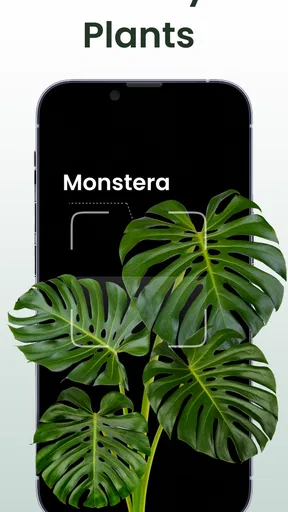
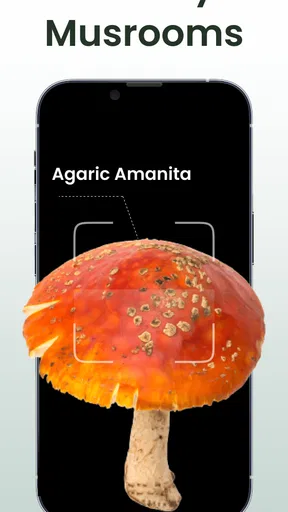
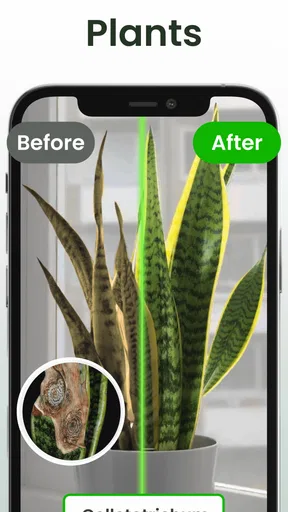
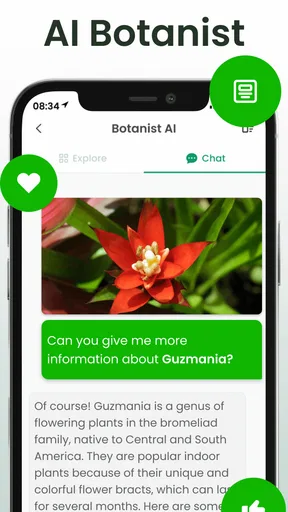
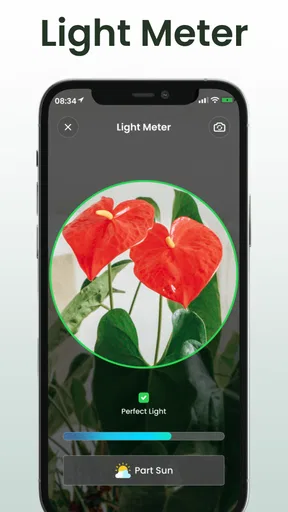
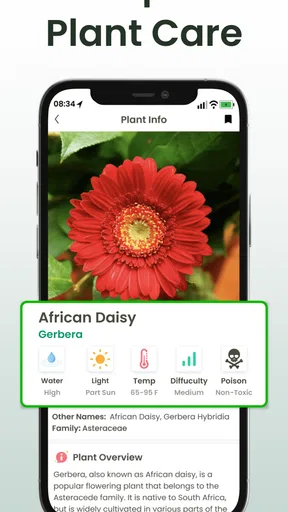
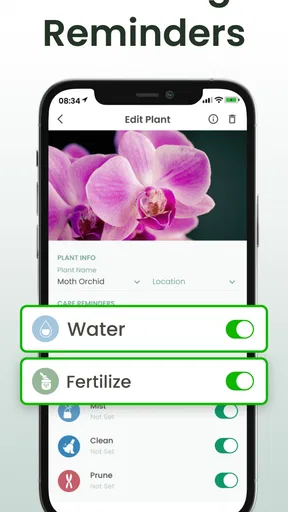
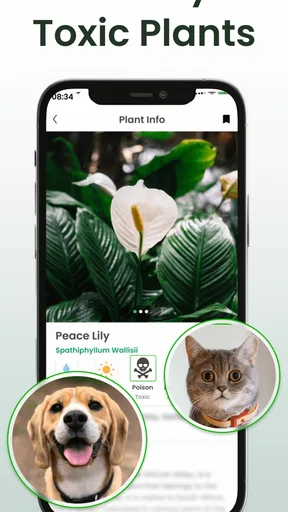
 Analysis by AppCompare
I installed Plant Identifier: Plantiary to see whether it could become a practical companion for everyday plant care rather than just a novelty camera app. My overall impression is that it is most useful when you want a quick starting point: identify something growing in a pot or garden, recognize an insect or mushroom, and keep care reminders close at hand. It is a free productivity app from Blacke, aimed at anyone who wants more structure around looking after plants.
The app has a clear appeal for beginners. Instead of searching through several websites, comparing photographs, and then trying to remember when a plant needs attention, I can use one place to support that process. That does not make it a substitute for a nursery expert or a field guide, but it can reduce the friction between noticing a plant and deciding what to do next. Its general audience also makes sense: the content rating is Everyone, and the app runs on Android devices using version 8.0 or later.
How Plantiary fits into real plant care
I find Plantiary most useful when I treat it as a bridge between noticing something and deciding what to check next, rather than as a complete plant-care record. A quick photo can start an investigation, while a reminder can help me return to the plant with fresh eyes. That practical rhythm also makes it easier to spot where setup or everyday use might snag.
A free starting point with optional spending
One of the strongest reasons to try Plantiary is the basic cost barrier. The app is free to install, so I can test its identification and reminder workflow before deciding whether it deserves a permanent place on my phone. That matters for casual users who have only a few houseplants and do not want to commit to a subscription or buy a specialist reference book immediately.
There are in-app purchases ranging from $0.99 to $49.99 per item. I would therefore treat the free access as an opportunity to evaluate the app, not as proof that every function is available without payment. The sensible approach is to use the no-cost experience first, understand which parts of the workflow are genuinely useful, and only then consider an optional purchase. The available purchase range is wide enough that I would avoid tapping through quickly without checking what each item unlocks.
That distinction is important when comparing it with alternatives. A printed guide has a one-time cost but takes up space and may not help with reminders. A general web search can be free, yet it requires more effort and often produces conflicting identification results. Dedicated plant-care services may offer deeper databases or more polished schedules, but they can also make the user pay before discovering whether the experience suits their habits. Plantiary sits between those options: easy to try, potentially more convenient than scattered searches, but not automatically the best value for every level of gardener.
What the identification tools are good for
The central use case is taking a plant-identification question and turning it into a manageable next step. If I receive an unfamiliar houseplant from a friend, find a volunteer plant in the yard, or notice a mushroom during a walk, the app gives me a dedicated place to investigate. The inclusion of insects and mushrooms broadens its usefulness beyond ordinary indoor plant collections.
Worth Reading Before You Choose

EA SPORTS FC Mobile 26 Is a Bigger Football Game, but It Takes Time

Flipboard Shows What News Apps Must Do Beyond the Feed

Switching to Android Auto Means Rethinking Your Driving Routine

Google Calendar Makes a Crowded Week Easier to Manage

Ludo King Makes the Most of the Minutes Between Plans

Baby Panda World Brings Quick Play to Modern Phones, but Its Game Library Feels Busy
I would still use identification as a first opinion rather than a final authority. A photograph can hide important details such as leaf arrangement, stem texture, flower structure, scale, or the surrounding habitat. Lighting and camera focus can also change the result. For a harmless ornamental plant, an imperfect first suggestion may simply mean I need another picture. For an unknown mushroom or an insect that could affect pets, children, or crops, I would verify the result through a reliable local source before touching, eating, or treating anything.
A useful habit is to photograph the whole subject first and then take a closer image of the distinctive parts. With a plant, that might mean showing the overall shape, a leaf surface, and the stem or flower. This gives me a better basis for judging whether the suggested identity makes sense. The app can make the process faster, but the quality of the input still influences how much confidence I should place in the output.
Reminders are more valuable than they first appear
The care-reminder side is where the app can become more than a one-time identification tool. I often remember that a plant needs attention only after noticing a wilted leaf or dry soil. A reminder changes the routine from reacting to visible problems into checking plants deliberately. That is especially useful when several plants have different needs or when travel, work, and changing seasons disrupt a normal schedule.
I would not interpret a reminder as an automatic watering command. Plants in the same room can dry at different speeds because of pot size, soil, light, airflow, and temperature. A notification should prompt an inspection, not replace it. Before watering, I would check the soil and the plant itself. This small distinction prevents one of the most common beginner mistakes: following a calendar too rigidly and giving a plant water simply because the phone says it is time.
My preferred workflow would be to create a reminder after identifying a plant, then adjust the routine based on real observations. If the soil is still damp whenever the alert appears, I would move the reminder later. If a plant repeatedly looks stressed before the notification, I would shorten the interval or investigate light and drainage. In that sense, the app is best used as an external memory aid, while the actual care decision remains mine.
A realistic everyday scenario
Imagine bringing home a plant from a weekend market without a label. I would use Plantiary to make an initial identification, save the result in my own notes, and create a reminder for a visual and soil check. During the following weeks, I would compare the app’s suggestion with the plant’s growth, the light in its position, and any care guidance available from a trusted horticultural source.
If an insect appears on the leaves, I could use the same app to investigate whether it is likely to be a harmless visitor or something worth monitoring. I would avoid immediately spraying a product based only on an image. Instead, I would inspect several leaves, look for repeated signs, and confirm the identification before choosing a treatment. This is a good example of where the app can organize a decision without making the decision for me.
Where it saves time compared with ordinary alternatives
Without a dedicated app, my usual process would involve taking a photo, opening a browser, searching descriptive phrases, and comparing images from several sources. That approach can work, but it is tiring when I do it repeatedly. Plantiary gives the task a more direct shape, which is valuable for people who want an answer quickly and do not enjoy researching botanical terminology.
It also has an advantage over relying only on memory. A calendar reminder or a handwritten plant list can help, but those tools do not connect the prompt with the object I am caring for. A general reminder may say “check plants,” while an app designed around identification and care makes the task feel more connected to the individual plant. That is a small convenience, but it can make routines easier to maintain.
Tradeoffs that affect the experience
The first tradeoff is confidence. Identification apps are appealing because they appear immediate, yet nature is full of similar-looking species and changing appearances. Young plants, damaged leaves, unusual cultivars, and poor photographs can all complicate recognition. I would value Plantiary as a filter that narrows the possibilities, not as a replacement for careful observation.
The second tradeoff is reminder simplicity versus horticultural accuracy. A notification is easy to understand, but plant care is rarely governed by a fixed interval alone. If the app encourages users to follow alerts mechanically, it could create bad habits. The better experience comes from treating reminders as check-ins and learning how each plant responds in its own environment.
The third tradeoff concerns optional purchases. Free access makes experimentation comfortable, but the existence of individual purchases means I would examine the payment screen carefully before committing. Someone who wants only occasional identification may find the free experience sufficient. Someone expecting a completely unrestricted reference library or a highly detailed care system should first test the app in their own routine rather than assuming that every useful function is included.
There is also a practical limitation for serious growers. If I were managing a large collection, propagating rare plants, tracking fertilization, recording measurements, or planning a greenhouse, I would probably want a more specialized system with deeper records. Plantiary’s broad focus is convenient for ordinary plant ownership, but breadth can come at the expense of the detailed controls that experienced collectors may expect.
Small habits that make the app more useful
My first tip is to avoid identifying everything from a single distant image. A clear subject with visible leaves, stems, flowers, or markings gives the app more useful information and gives me more material for manual checking. I would also retake a photograph if the lighting is strongly backlit or the subject is blurred.
My second tip is to separate identification from diagnosis. Knowing a plant’s likely name does not automatically explain yellow leaves, pests, or slow growth. Those symptoms can come from watering, light, temperature, soil, or several causes at once. I would use the app to establish what I am looking at, then investigate the specific problem rather than treating the name as a complete care plan.
My third tip is to schedule reminders around observation points instead of blindly repeating actions. A reminder to inspect moisture, check for pests, or look at new growth is safer than assuming that every alert should trigger watering. This turns the app into a learning tool: over time, I can notice patterns in my home and make better decisions than a fixed routine would allow.
A fourth useful habit is to verify unusual results before acting. If the suggested insect seems inconsistent with the location or appearance, I would take another image and compare it with a trusted source. The same caution applies even more strongly to mushrooms. Fast recognition is convenient, but the consequences of a wrong assumption are not always minor.
Who will get the most value
Plantiary is a good match for a beginner who owns a handful of plants and wants help building a routine. It is also useful for someone who frequently encounters unidentified greenery outdoors, or for a parent and child exploring plants and insects together under adult supervision. The Everyone rating supports that broad accessibility, while the straightforward concept avoids the steep learning curve of specialist horticulture software.
I can also see value for busy people who do not need advanced records but do need prompts. If the main problem is forgetting to inspect plants after work or during travel preparation, a reminder-centered workflow may be enough to prevent neglect. The app is particularly sensible for users who prefer a phone-based tool over a paper notebook and who want identification and care prompts in the same general experience.
It is less suitable for a person who already knows plant families well and wants precise botanical documentation. I would also skip it as my only resource if I needed legally or medically reliable identification, professional pest-management decisions, or certainty about a potentially dangerous mushroom. In those situations, an expert, a specialist field guide, or a local extension service is a better choice.
What the app’s track record suggests
The app has reached over 100 thousand installs and holds a 4.5 average from around 5 thousand ratings, with roughly 270 written reviews. Those figures suggest that the concept has found a meaningful audience and that many users are satisfied enough to rate it positively. I see that as encouragement to try it, not as a guarantee that every device, plant, or workflow will feel identical.
Blacke has continued the app through version 5.2.56, and the release history begins on June 24, 2020. For me, that makes it feel like an established utility rather than a brand-new experiment. I would still pay attention to how smoothly it performs on my particular phone and whether the reminder behavior fits my routine, because longevity and personal usefulness are not the same thing.
My buy-or-skip verdict
I would recommend trying Plant Identifier: Plantiary if you want a free way to explore plant, insect, and mushroom identification while adding simple care prompts to your day. Its best value comes from combining quick investigation with a reminder habit, not from treating an image result as unquestionable truth. The free entry point makes that trial relatively easy, while optional purchases mean I would make any spending decision only after testing what I actually use.
I would skip it if I wanted a complete professional plant-management database, guaranteed species-level certainty, or a replacement for expert advice. I would also avoid paying for features merely because the app identified one plant correctly; a useful purchase should improve a repeated workflow, not reward a single successful scan. For a casual or beginner gardener, however, the balance is appealing: it can turn scattered curiosity into a repeatable routine without demanding specialist knowledge.
My final view is positive but measured. Plantiary is most convincing as a practical assistant for remembering to look, learn, and check—not as an authority that removes judgment from plant care. If you use its suggestions as a starting point, verify risky identifications, and adjust reminders to real conditions, it offers a convenient productivity tool for everyday gardening. The smartest way to use it is to let the app organize your attention while your own observation guides the final care decision.
Pros
- Identifies many common plants from a single photo in seconds.
- Useful care tips help beginners understand watering and light needs.
- Clean interface makes scanning and browsing plant records straightforward.
- Can support plant discovery during walks
- hikes
- or garden visits.
- Plant information is presented in a practical
- easy-to-read format.
Cons
- Photo results may be less accurate with blurry images or unusual species.
- Some advanced identification or care features may require payment.
- Care advice can be general and may not suit every growing environment.
- The app may need internet access for complete identification results.
- Frequent plant scanning could use extra battery and mobile data.
FAQs for Plant Identifier: Plantiary
What is Plant Identifier: Plantiary and how does it work?
Plant Identifier: Plantiary is a mobile app designed to recognize plants from photos and provide useful information about them. After taking or uploading a clear image, the app analyzes visible features such as leaves, flowers, stems, and overall shape. Results may include the plant’s likely name, basic characteristics, care guidance, and related information. Identification should be treated as an helpful reference rather than a guaranteed scientific diagnosis.
How accurate is Plant Identifier: Plantiary when identifying plants?
The accuracy of Plant Identifier: Plantiary depends heavily on image quality, lighting, camera focus, and how clearly the plant is visible. A close, well-lit photo showing distinctive leaves or flowers usually produces better results than a blurry or distant image. Like most image-recognition tools, it can occasionally confuse similar species, so users should verify important identifications through reliable botanical sources, especially before consuming or handling an unfamiliar plant.
Can Plant Identifier: Plantiary recognize indoor plants, flowers, trees, and weeds?
Plant Identifier: Plantiary is intended for a broad range of plant types, including common houseplants, garden flowers, trees, shrubs, and some weeds. Recognition performance can vary depending on how common the species is and whether the photograph includes useful identifying details. When possible, take several images from different angles and include leaves, flowers, fruit, or bark. This gives the app more visual information and can improve the suggested result.
Does Plant Identifier: Plantiary provide plant care advice?
In addition to identifying plants, Plant Identifier: Plantiary may provide practical information related to care, such as watering, light exposure, soil preferences, and general growing conditions. These recommendations are useful for beginners and for organizing basic plant-care routines, but they should not be followed blindly. Conditions differ between cultivars, climates, seasons, and homes, so users should compare the advice with the plant’s actual environment and observe how it responds.
Is Plant Identifier: Plantiary free to download, and are there in-app purchases?
Plant Identifier: Plantiary may be available to download at no initial cost, but some features can depend on the app’s current subscription model, advertisements, or in-app purchases. Before starting a trial or confirming payment, review the pricing, renewal terms, and cancellation instructions shown in the relevant app store. Availability and included features can change between Android and iOS versions, regions, and future updates.


